Progress Timeline
Focuses a single stage. Each slide carries its own stage strip entries and declarative detail sections in content. The progress strip shows the authored stages in order; the detail area renders one to three authored sections for the active stage.
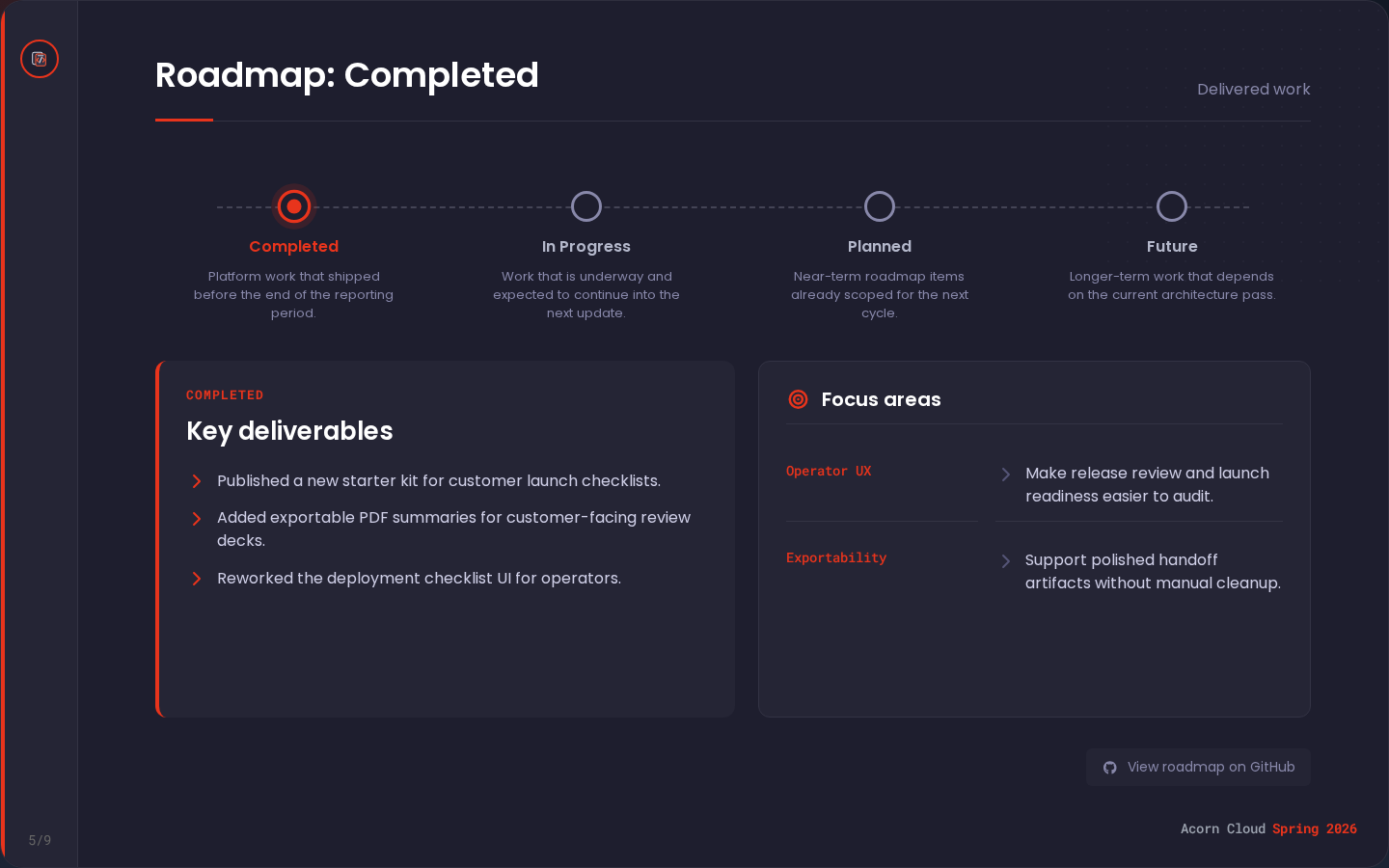
Example
Slide (in presentation.yaml)
- template: progress-timeline
  enabled: true
  title: "Roadmap: 6 Months"
  subtitle: Current roadmap focus
  content:
    stage: 6-months
    footer_link_label: View roadmap on GitHub
    footer_link_fa_icon: fa-github
    stages:
      3-months:
        label: 3 Months
        summary: Stabilize adoption.
      6-months:
        label: 6 Months
        summary: |-
          Expand core workflows.

          1. Improve authoring
          2. Tighten previews
      12-months:
        label: 12 Months
        summary: Scale the operating model.
    sections:
      - title: Key deliverables
        fa_icon: fa-check
        type: richtext
        body: |-
          First paragraph.

          - Published a new starter kit for launch checklists.
          - Added exportable PDF summaries.
      - title: Focus areas
        fa_icon: fa-bullseye
        type: keyvalue
        separator_fa_icon: fa-chevron-right
        body:
          - key: Operator UX
            value: |-
              Make release review easier to audit.

              - Preserve decisions
              - Surface follow-ups
          - key: Exportability
            value: Support polished handoff artifacts.
Data sources
| Region | Source |
|---|---|
| Progress strip | All stages from content.stages; stage summaries support lightweight rich text |
| Active stage highlight | Matches content.stage |
| Detail sections | content.sections[], rendered in authored order |
| Footer link | content.footer_link_label with href site.links.repository.url |
If subtitle is omitted, the active stage's summary is used instead.
Fields
| Field | Required | Type | Values |
|---|---|---|---|
title | yes | string | |
subtitle | string | ||
content.stage | yes | string | Must match one key in content.stages |
content.footer_link_label | string | ||
content.footer_link_fa_icon | string | Defaults to fa-github | |
content.stages | yes | object | 2 to 6 stage strip entries, rendered in authored order |
content.sections | yes | array | 1 to 3 active-stage sections |
content.sections[]
| Field | Required | Type | Values |
|---|---|---|---|
title | string | Section heading | |
fa_icon | string | Heading icon | |
type | yes | string | richtext or keyvalue |
body | yes | string or array | Shape depends on type |
separator_fa_icon | string | Key/value row separator icon; only valid when type is keyvalue |
For type: richtext, body is a lightweight rich-text string. For type: keyvalue, body is an array of { key, value } rows, and each value supports lightweight rich text.
Stage keys may use the existing completed, in-progress, planned, and future shape, or custom labels such as 3-months, 6-months, and 12-months. Stage summaries, rich-text section bodies, and key/value row values accept the lightweight rich text documented in Concepts. The progress timeline schema is documented in presentation.yaml.
Icon fields use supported values from the Font Awesome icon reference.